Maximize Material.
Minimize Waste.
Stop drawing cutting diagrams by hand. Enter your sheet sizes, specify your cuts, and generate the absolute most efficient layout in seconds. Perfect for wood, glass, metal, and acrylic.
Interactive Yield Comparison
See the real-world difference smart mathematical layout optimization makes on a standard 4'x8' board.
62% Yield
- ❌ High material waste and scrap
- ❌ Saw blade width (kerf) ignored
- ❌ Confusing manual paper drawings
- ❌ Higher job and panel costs
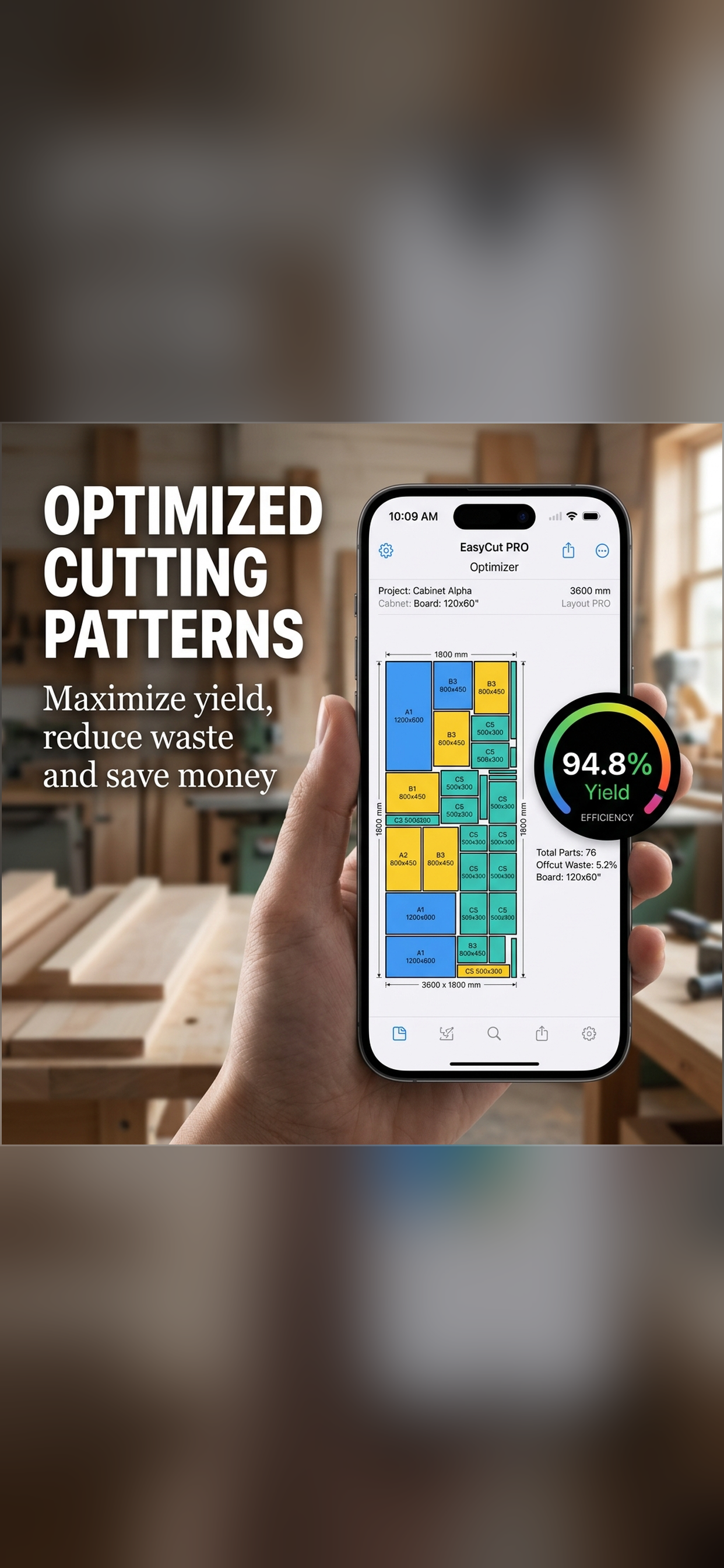
94.8% Yield
- ✅ Ultra-efficient nesting layouts
- ✅ Real-world blade kerf respected
- ✅ Save hours of layout planning
- ✅ Minimal scrap, maximum dollar value
Professional Cutting List Features
Packed with the tools you need to speed up your woodworking, cabinetry, and fabrication tasks.
Nesting Algorithms
Our high-performance layout engine fits your custom pieces onto the minimum amount of panels in fractions of a second.
Grain Direction Control
Prevent or allow individual parts rotation. Crucial for premium woodwork, ensuring wood grain matches beautifully.
Blade Kerf & Margins
Enter your exact saw blade thickness and sheet margins to ensure your layouts translate perfectly to high-precision real-world cuts.
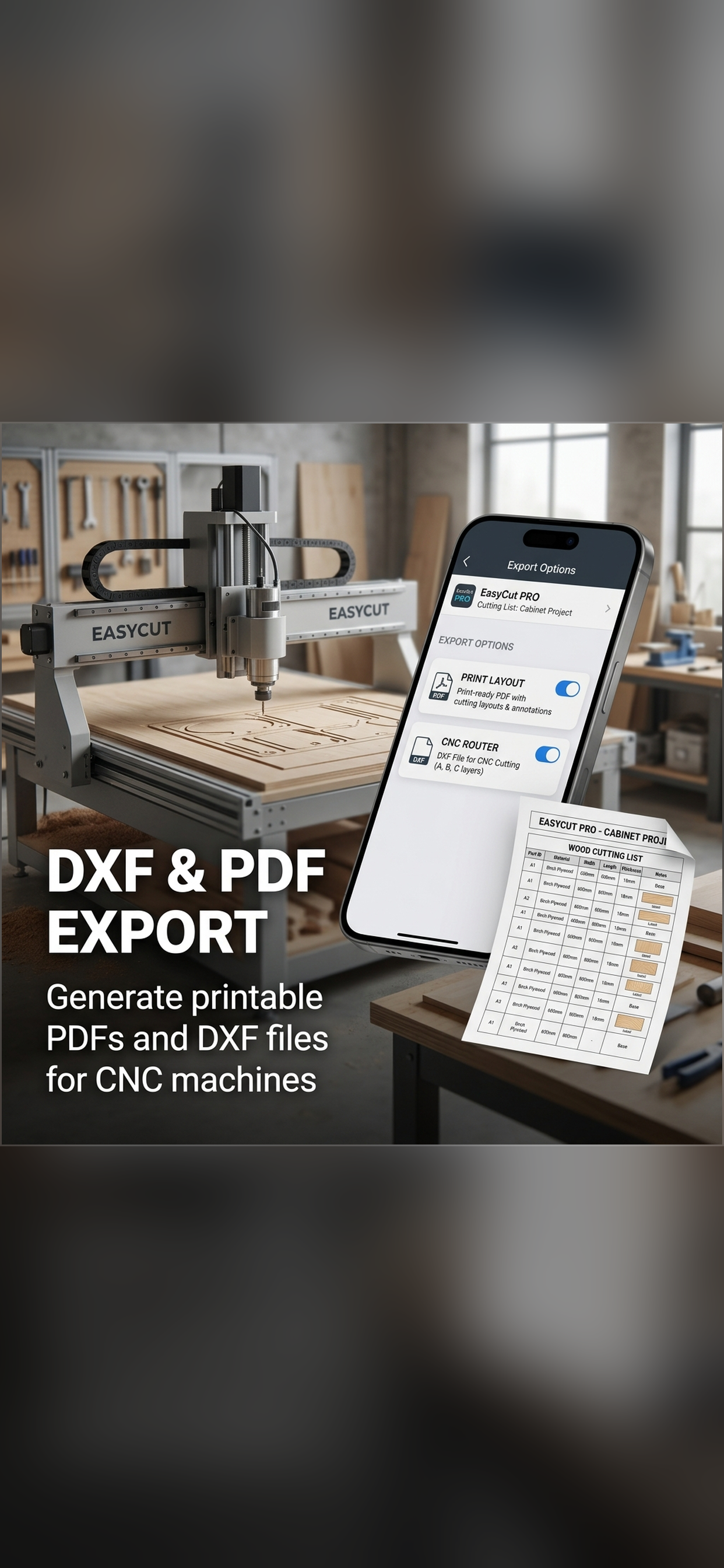
DXF Vector Exports
Export CNC-compatible vector files directly from the app. Perfect for woodworking routers, laser cutters, and fabrications.
Print-Ready PDF Reports
Generate comprehensive, fully printable PDF cutting diagrams with cut-sequence tables, labels, and efficiency stats to take to the workshop.
Bilingual & Multi-Unit
Fully translated in English and Spanish. Handles inches (in), centimeters (cm), and millimeters (mm) with automatic conversions.
As Easy as 1-2-3
Get the ultimate cutting plan in under a minute with three simple, intuitive steps.
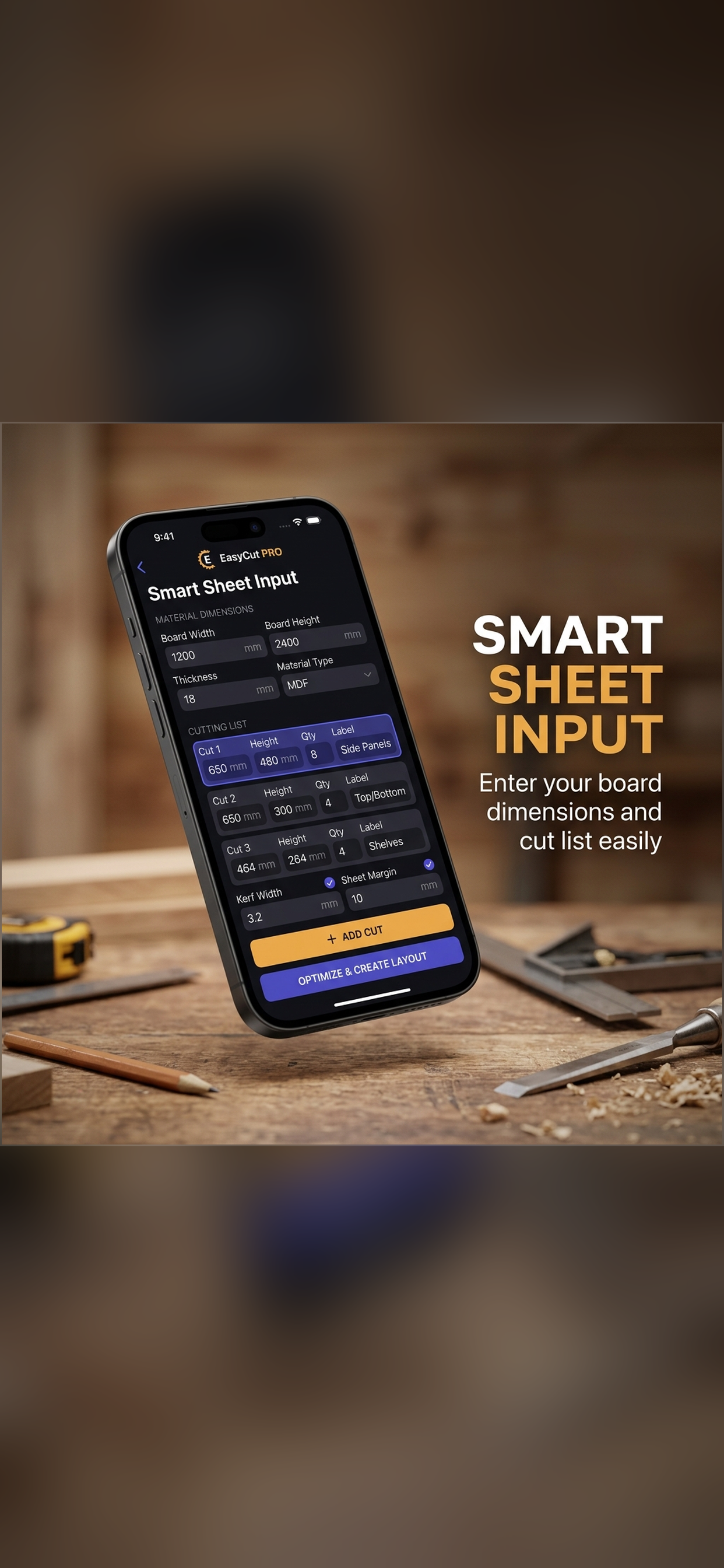
Input Board Dimensions
Select your units (inches, cm, mm), enter your stock panel sizes, and customize blade kerf (saw blade thickness) and sheet margins.
Define Your Parts List
List all the pieces you need to cut. Enter dimensions, quantities, custom names/labels, and rotation controls (wood grain direction).
Generate & Export Layout
Tap Optimize! Watch our engine distribute parts perfectly. Export industrial vector DXF files for CNC machines or printable PDF cutting diagrams.
Frequently Asked Questions
Everything you need to know about using the EasyCut PRO optimizer.
Yes! When editing your parts list, you can toggle "Allow Rotation" for each piece. Disabling rotation locks the piece to the panel's grain direction, ensuring wood fibers align perfectly across cabinet doors, drawer fronts, and veneers.
EasyCut PRO fully supports Inches (fractional and decimal), Centimeters (cm), and Millimeters (mm). The app automatically handles all units conversions and respects the blade kerf in your preferred units.
Yes! EasyCut PRO includes industrial vector DXF exporting. The generated DXF is structured cleanly with layers representing panels, cuts, margins, and scrap, making it fully ready to import into your CNC CAM software (VCarve, Fusion360, etc.).
No! The layout optimization math runs entirely locally on your device's processor. You can run all your calculations offline in the middle of a remote job site or workshop with zero internet connection.